
Sonic Execution:
Launch Apps, Edit Text and Process Files by Voice
Owlfy Sonic Execution runs 300+ PC actions by voice — open apps, rewrite text, compress files and search the web without touching your keyboard.

Owlfy Sonic Execution — voice waveform triggering instant app launches, searches and file operations.
There is a version of your computer that responds to exactly what you say, the moment you say it — no keyboard shortcuts to memorize, no menus to navigate, no windows to drag aside to get to what you need.
Owlfy's Sonic Execution is that version. It is the core interaction layer that turns natural voice commands for PC into immediate, precise desktop actions — covering everything from launching an app to rewriting an email draft to converting a batch of images.
This guide walks through all four Sonic Execution capability areas, with concrete examples drawn from how real users integrate voice commands into their daily PC workflow.
How to Trigger Sonic Execution
Hold your voice key — Right Alt on Windows, Fn on macOS, or your mouse scroll wheel — speak your command in natural language, then release.
That's the entire interaction. No activation phrase, no command syntax, no confirmation prompt for routine tasks.
"Speak, and it's done."
Three words that describe the entire experience
Hold Key (Right Alt / Fn)
Speak Command (Natural Language)
Release Key (Action Executes)
Quick Launch: Open Any App, Website or Folder
The most immediate application of voice commands for PC is navigation. Instead of clicking through a taskbar, dock, or Start menu, you speak the name of what you want — and it opens.
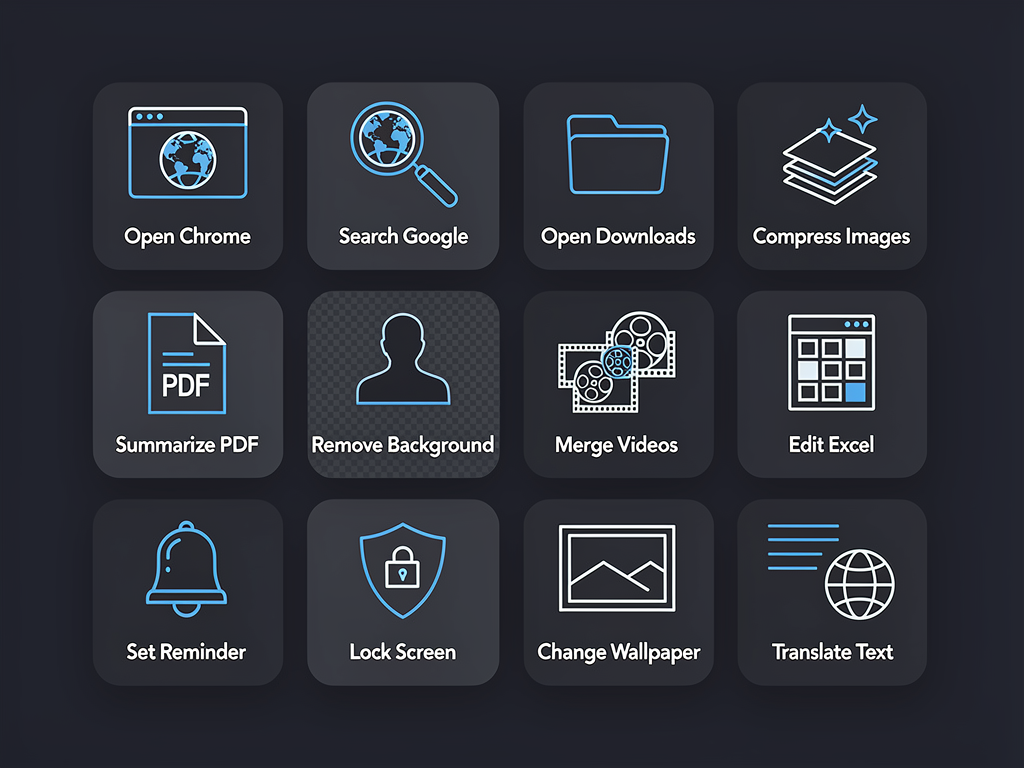
12 sample Sonic Execution voice commands across apps, search, files, text and system actions.
Applications
- "Open Chrome"
Chrome launches instantly. Works for any installed application — Photoshop, VS Code, Excel, Slack, Zoom.
- "Open Spotify"
Any app by name. Set a custom alias (e.g., "my notes app" for Obsidian) in Settings → App Management.
- "Open Chrome and go to github.com"
One command, two actions. Browser launches with the URL already loaded.
Websites and Directories
- "Open Downloads"
Downloads folder opens. Define custom directory aliases for your projects.
- "Google search React tips"
Browser opens with search results pre-populated. Specify any engine: Google, Bing, DuckDuckGo.
- Learn how to open apps by voice in Feature Guide
Smart Text Processing: Edit, Summarize and Translate
Select any text in any application, hold the voice key, say what you want done. The result appears in the same window. No copy-paste. No context switch.
This is where voice commands for PC eliminate the most repetitive friction in a knowledge worker's day.
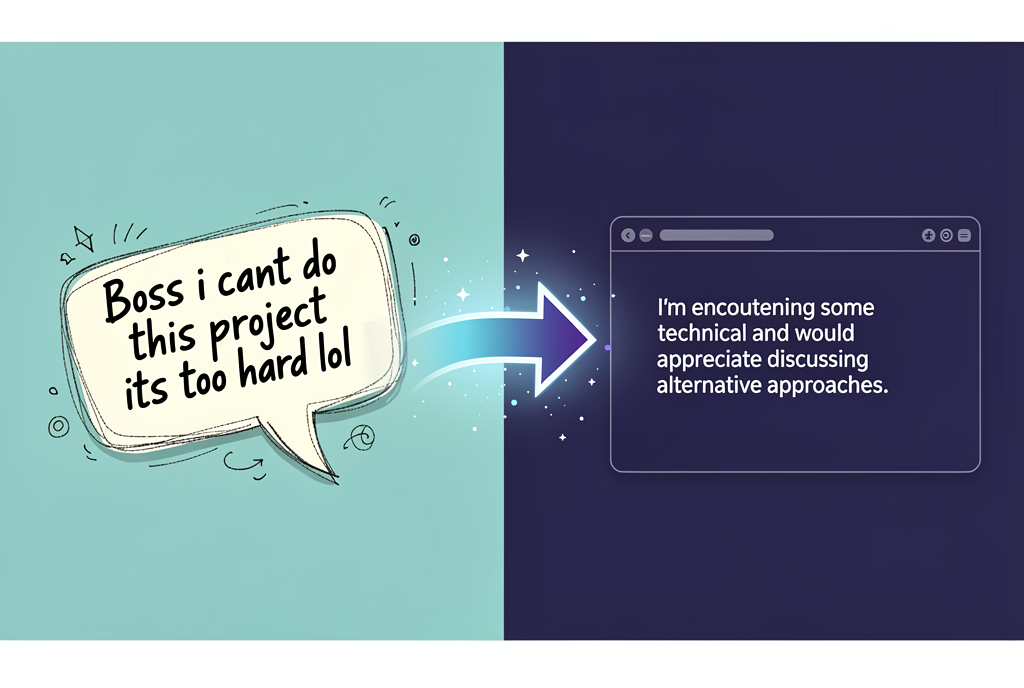
Smart Text Processing: casual input (left) instantly transformed into polished professional text (right) — in-place, no window switching.
Rewrite and Polish
- "Rewrite this in a professional tone" — Transform casual Slack messages into polished client comms.
- "Make this more concise" — Sharpen rambling paragraphs instantly.
- "Improve this" — Owlfy infers the best version from context.
Summarize and Extract
- "List the action items" — Turn meeting notes into clean bulleted task lists.
- "Make this shorter" — Compress text while preserving key meaning.
- "Give me 3 headline options" — Generate clickable variants for topics.
Code and Technical
- "Explain this code" — Contextual plain-language explanations.
- "Convert JS to Python" — Voice-driven language translation.
- "What does this mean?" — Instant definitions for jargon and acronyms.
Instant Search: Voice-Driven Web Queries
Sonic Execution lets you search any engine by voice without first opening a browser. Describe what you want to find, optionally specify the engine, and results appear.
Voice Commands for PC: What Changes When You Start
"Open Outlook"
Select paragraph → "Make this two sentences"
"Google search latest news on AI"
Select notes → "Extract action items and format as a list"
Select a PDF → "Summarize the key points in three bullets"
Sonic Execution replaces the repetitive manual steps that currently sit between you and every task — with a single sentence.
Ready for Sonic Execution?
Download Owlfy free — voice commands for PC on Mac, Windows, WhatsApp and Messenger