
Three Sentences. One Gift.
How a Father Used Owlfy AI to Turn a Photo Into a 3D Keepsake
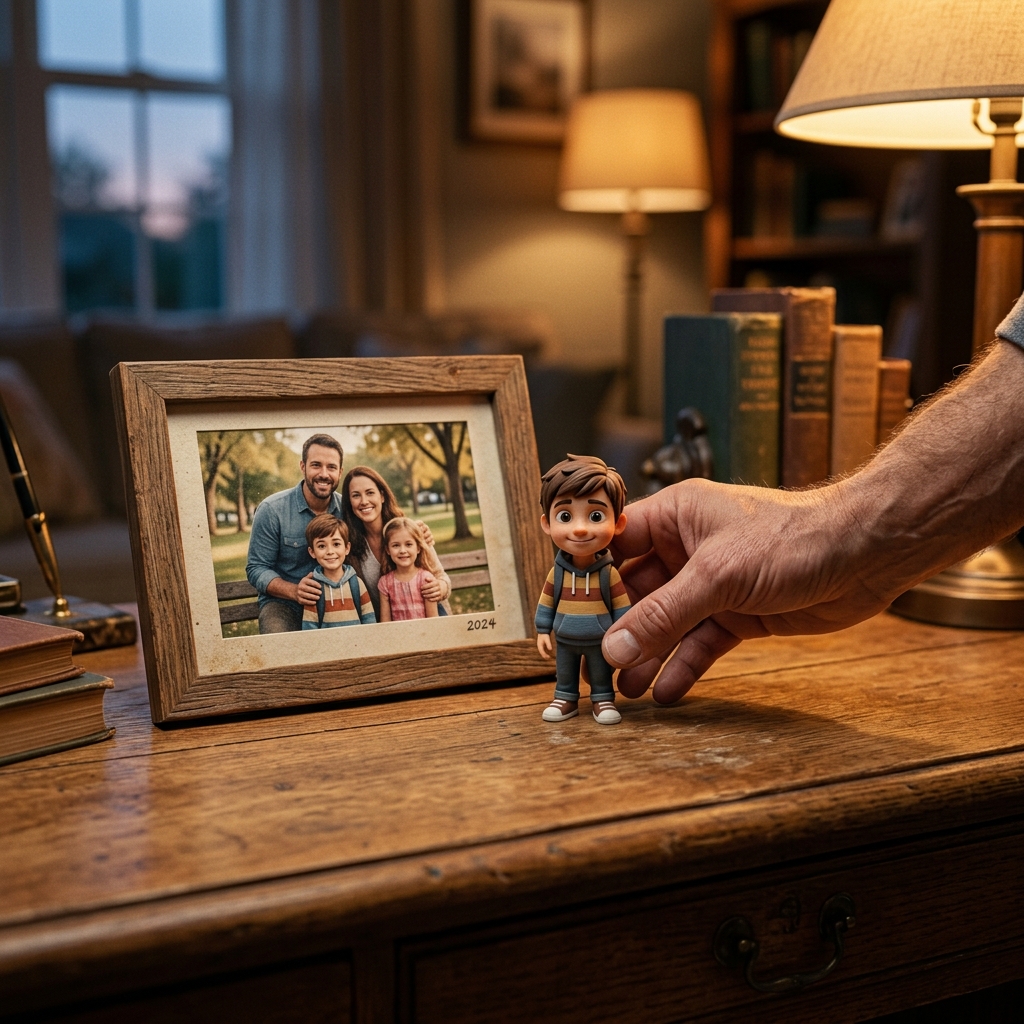
It was a Friday evening. Marcus sat at his desk, a photo of his daughter propped against his monitor. Her birthday was coming, and he wanted to give her something different — not a gift from a shelf, but something made specifically for her, by him.
He had heard you could turn a photo into a 3D-printed figure. He liked the idea. But Marcus is not a 3D modeler. He has never opened Blender or Maya. He had no idea where to start.
He did not start with software. He opened the Owlfy AI voice assistant and spoke three sentences.
"Owlfy, I installed that 3D modeling skill. Look at this photo. Help me generate a cute, three-dimensional cartoon version of my daughter — suitable for printing."
A few minutes later, a polished model file was in his folder. The next morning, after a night of printing, the figure was in his daughter's hands.
Three sentences.
One gift.
Zero technical knowledge required.
Why This Moment Matters Beyond the Technology
Stories like Marcus's sit at the intersection of two forces that rarely meet: professional-grade AI capability and genuine human accessibility.
AI's ability to generate 3D models from a description — to understand aesthetic instructions like "cute" and "cartoon-style" and produce an output ready for physical fabrication — is a remarkable technical achievement.
But technology behind a complicated interface helps almost no one.
Marcus did not specify polygon counts or UV mapping. He did not know what those things are. He only knew what he wanted, and he expressed it the way human beings naturally do: in plain, emotionally specific language.
The most meaningful shift in AI is not what it can do.
It is who finally gets to benefit from it.
The Three Walls Between OpenClaw and Everyday Users
Wall 1 — The Setup Gauntlet
Getting OpenClaw running requires a working Python environment, Node.js, a collection of dependency packages, and correctly configured API keys. For a developer, this is routine. For someone who just wants their computer to be more capable, it is a full day of troubleshooting — on a good day.
Owlfy eliminates this entirely. Download. Install. Speak. No Python. No Node.js. No configuration files. The average user is productive in under three minutes.
Wall 2 — The Token Bill
OpenClaw routes every action through cloud-based AI APIs. Every step of every workflow burns tokens. As a daily productivity tool running complex multi-step tasks, the monthly cost accumulates in ways that catch users off guard.
Owlfy processes the vast majority of operations on-device using its local decision engine. Cloud usage is minimal and targeted. For most everyday tasks, there is no per-action cost at all.
Wall 3 — The Security Gap
Giving an AI agent access to your computer demands trust. OpenClaw in its raw form requires users to actively manage their own security posture — deciding what is accessible, what leaves the machine, what is exposed to the network.
Owlfy's security model is architectural: local-first processing means your files and voice data never reach an external server. Permissions are fine-grained and user-controlled. There are no exposed public APIs. No external attack surface exists to exploit.
Inside Three Sentences: What Owlfy Had to Understand
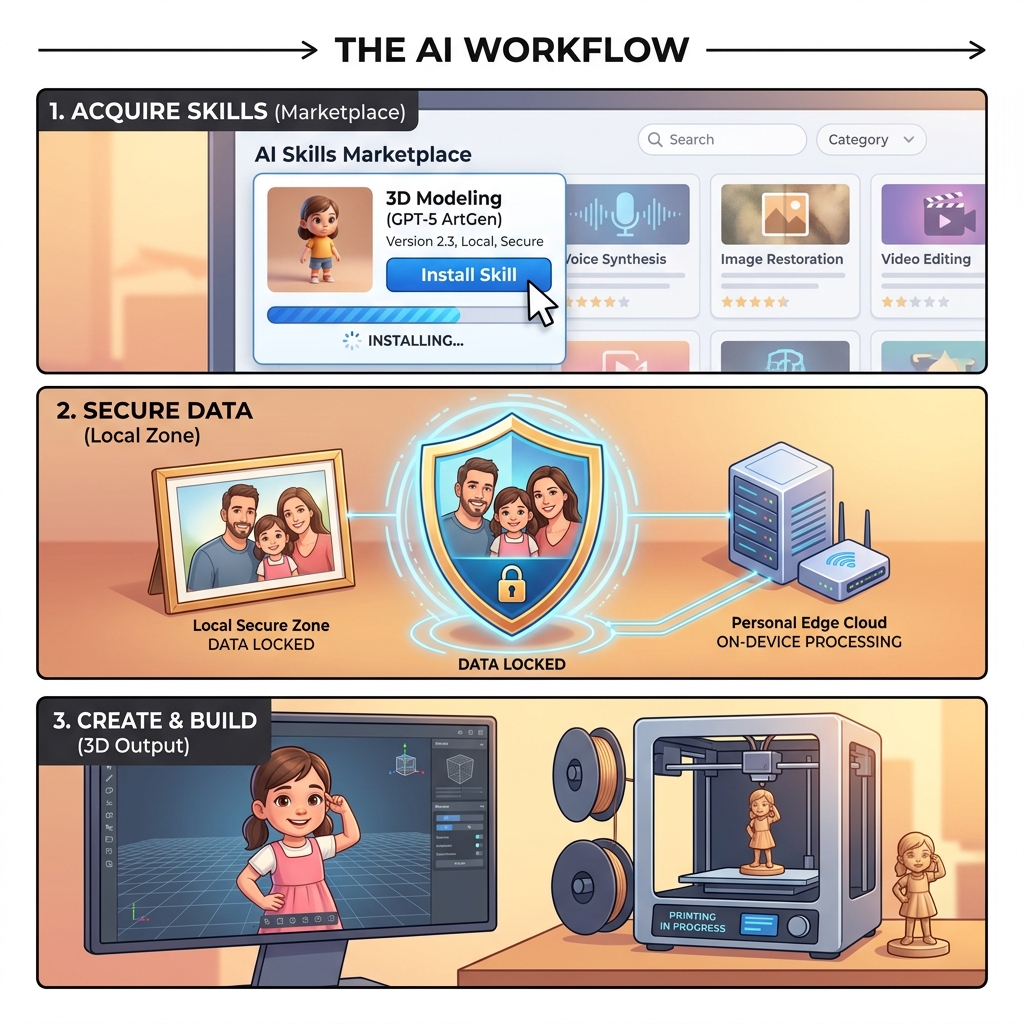
"I installed that 3D modeling skill."
The Owlfy Skills Marketplace is the extensibility layer that gives Owlfy its range. Professional-grade capabilities — 3D modeling, AI image generation, video production, smart home control — are packaged as installable skills that require no technical knowledge to activate.
Marcus saw a 3D generation skill shared in the community and installed it with a single copy-paste. His desktop now had near-professional 3D modeling capability. He did not need to understand how it worked.
"Look at this photo."
Marcus shared his daughter's photograph. This is where local processing becomes not just a technical feature but an emotional one.
A family photo is among the most personal things a person owns. The Owlfy AI voice assistant processed that image entirely on Marcus's device.
The photo never left his computer — not for face analysis, not for model generation, not at any point in the process. It was, and remains, his.
"Cute, three-dimensional, suitable for printing."
These are not technical specifications. "Cute" implies softened features, slightly exaggerated proportions, warmth. "Suitable for printing" implies structural requirements: wall thickness, stable base geometry, appropriate scale.
Owlfy translated these human instructions into a set of executable modeling parameters — bridging the gap between how people think and how software works. That translation is what makes Owlfy genuinely different from a tool that simply transcribes.
What This Unlocks: AI for Every Human
Marcus's story is not unusual in principle — people have always wanted to create meaningful things for the ones they love. What is unusual is that he could do it without training, without expensive software, and without ever needing help.
Parents & Family
- Transform a child's drawing into a printed keepsake.
- Convert a grandparent's voice recording into an illustrated book.
- Generate a personalized storybook from a family photo.
Educators
- Generate a 3D model of a cell structure while teaching biology.
- Create a visual timeline of a historical event.
- Build interactive study materials — no design expertise required.
Small Business Owners
- Turn a product concept description into a 3D render.
- Generate a prototype visual without a design budget.
- Iterate on ideas in minutes, not days.
Anyone with an idea.
The barrier between "I want to make something" and "I made it" has collapsed. The only requirement left is the ability to describe what you want — which most people have been able to do since childhood.
The Three Layers That Make It Possible
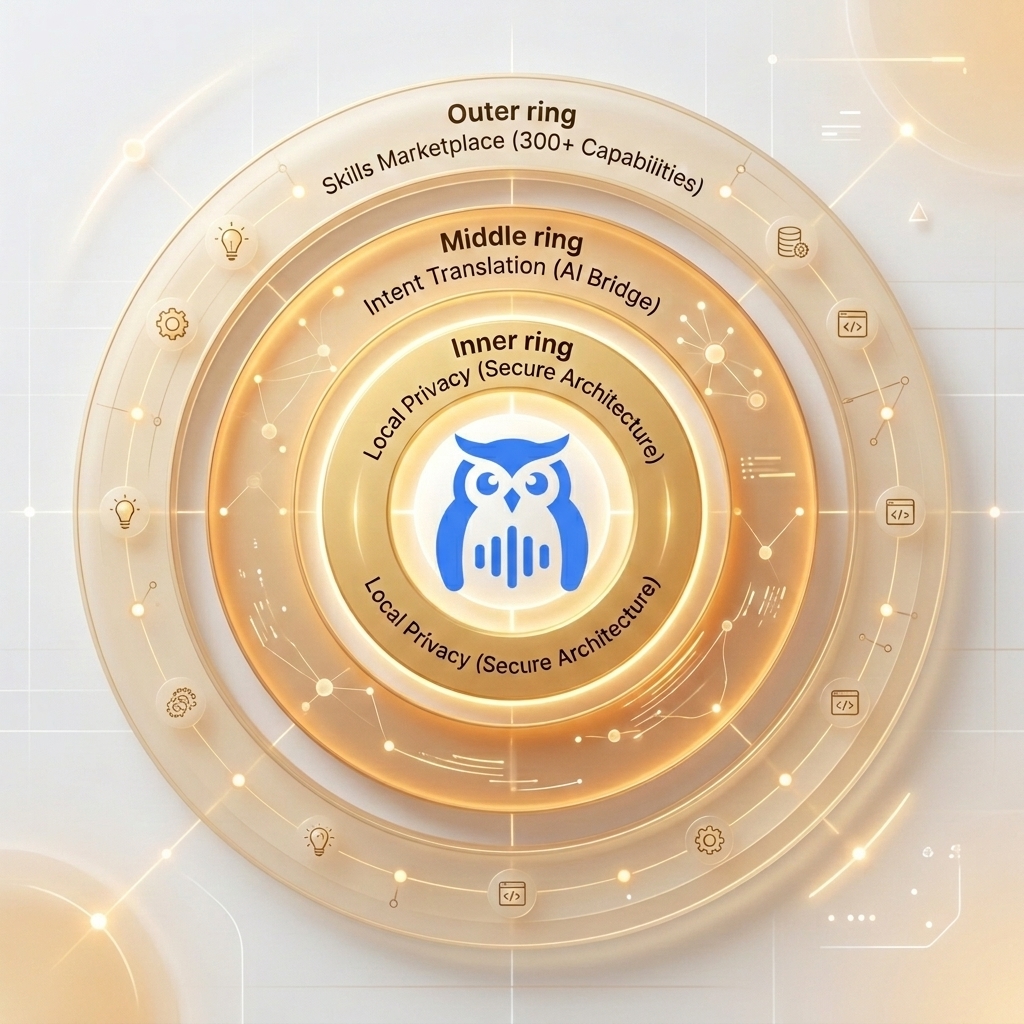
Layer 1: The Skills Marketplace
Professional Capability for EveryoneThe Skills Marketplace packages professional tools — 3D modeling, image generation, video processing, smart home control, code generation — as installable skills that anyone can activate with a copy-paste.
This is the same MCP extensibility model that powers OpenClaw, made approachable for everyone.
Layer 2: Intent Translation
The Bridge Between Human and MachineOwlfy pairs a large language model for deep contextual understanding with a local decision engine for fast, private execution. When Marcus said 'cute and suitable for printing,' the system understood both the aesthetic intent and the engineering constraint implied by physical fabrication.
This is the bridge that matters: between the way people naturally express ideas and the precise parameters machines need to execute them.
Layer 3: Local Privacy
The Foundation of Genuine TrustPersonal creativity involves personal material. Photos, voice recordings, documents and memories are not abstractions. Owlfy's local-first architecture means none of that material ever leaves your device.
This is not a privacy policy — it is a privacy architecture. The data cannot be sent anywhere because the system was never designed to send it.
Beyond 3D: What Owlfy Does Every Day
The principles that made Marcus's gift possible apply across everything Owlfy handles — from the extraordinary to the routine.
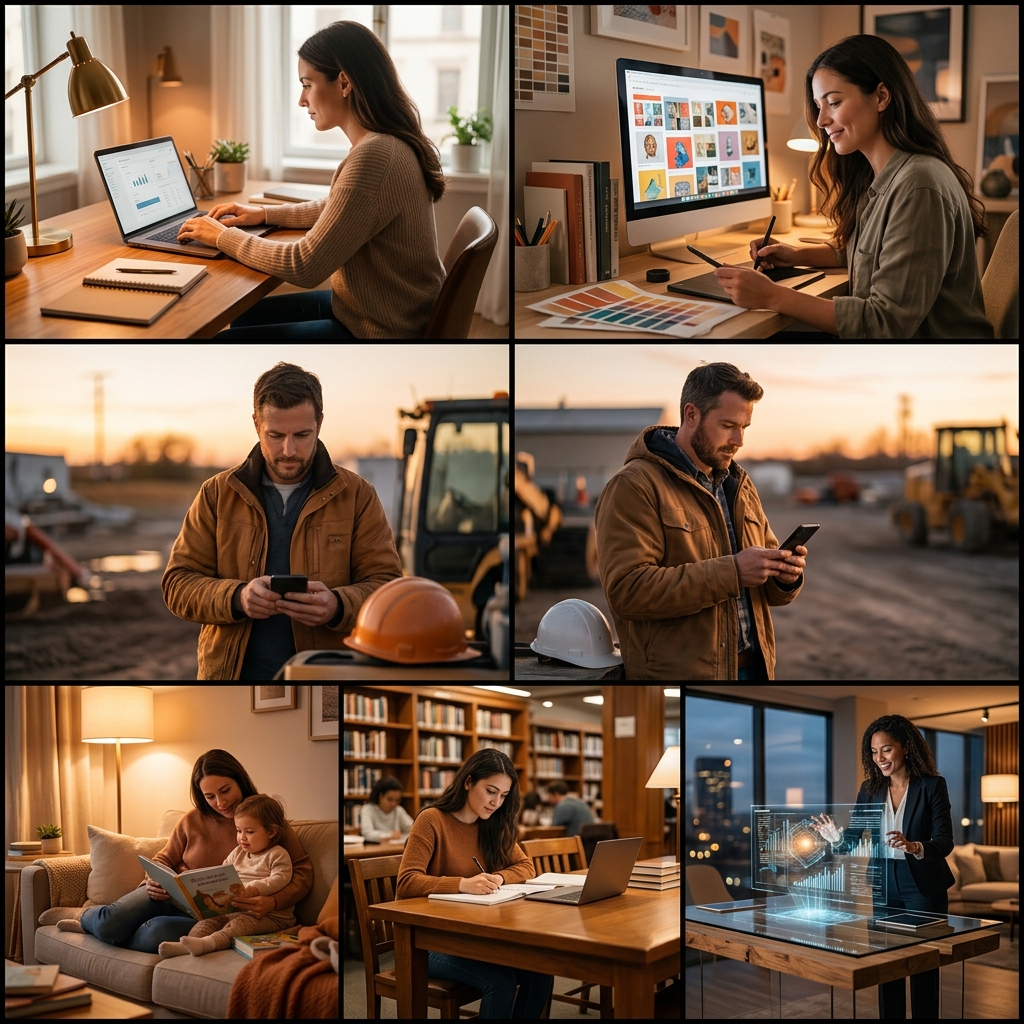
For professionals
Prioritize your inbox, generate your morning brief, prepare meeting one-pagers, and transform email threads into action items.
For content creators
Batch-enhance images, remove video fillers, add subtitles, merge clips with transitions, and generate AI images and music.
For people on the go
Text or voice Owlfy through Messenger or WhatsApp. It finds your files, summarizes documents, and delivers results to your phone.
For multi-taskers
Keep working while your voice handles the background: opening apps, searching files, converting documents, running automations.
For accessibility users
Execute over 300 actions hands-free, in any application, with no setup — a fully voice-driven desktop.
A Small Figure on a Bookshelf
The figure sits on his daughter's bookshelf now. A small cartoon version of her — soft features, a warm smile, the right proportions to feel both recognizable and playful. She loves it.
Marcus spent no time learning software. He made no technical decisions. He invested nothing except knowing his daughter well enough to describe what she would love.
The best tools return your attention and energy to what only you can provide — judgment, care, creativity, love.
For most of computing's history, using a computer meant adapting to it. Owlfy is the beginning of the opposite: a computer that adapts to you.
The technology does not disappear. It just gets out of the way. And that is exactly where it belongs.
Just speak. The rest follows.
Explore what Owlfy can help you create. Download free for 20 days — Mac, Windows, and Linux, with mobile access.