
Mobile Owlfy:
Manage Your Desktop from Your Phone — Anywhere, Anytime
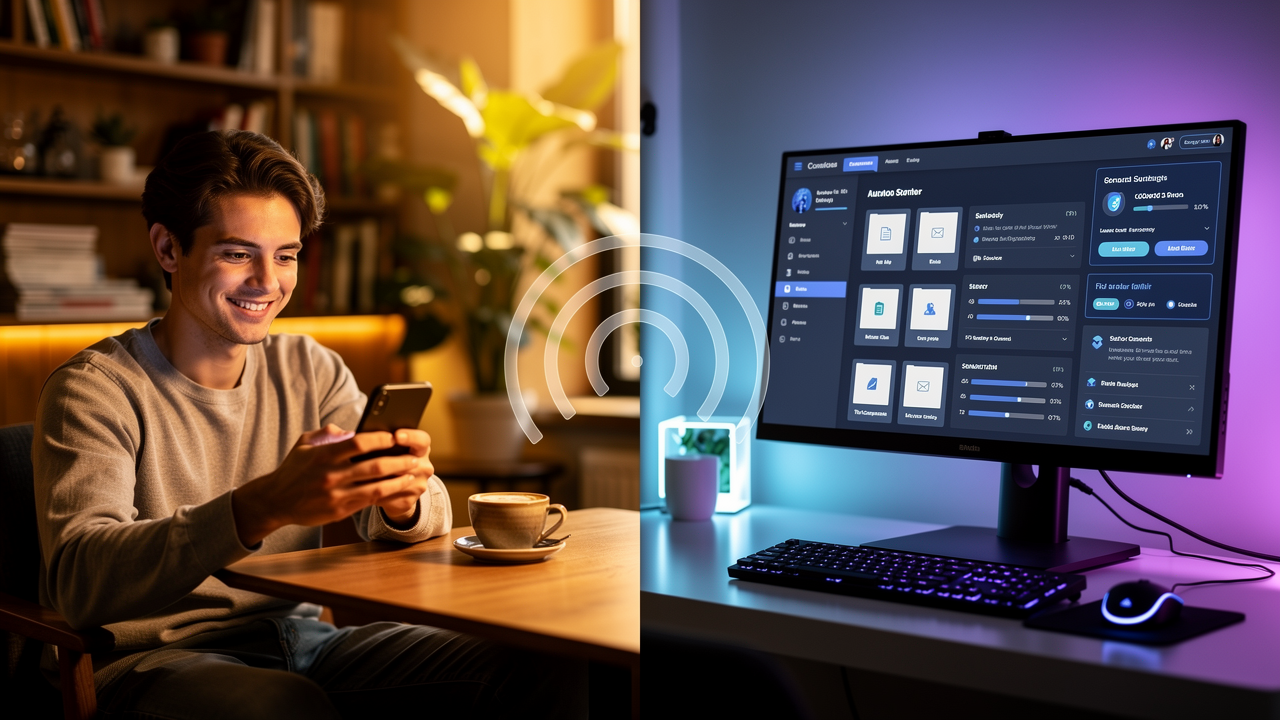
Mobile Owlfy — your desktop works automatically while you access it from anywhere via phone.
Friday afternoon, 5:15 PM. You're on the commute home when a client calls: "Can you send me the final contract version?" The file is on your desktop computer, which is still at the office.
-- Before Owlfy: you'd have to call a colleague, drive back, or apologize and delay.
- With Owlfy: you open WhatsApp, send one message — "Find my latest contract file and send it to me" — and within seconds your phone receives the file.+ Before Owlfy: you'd have to call a colleague, drive back, or apologize and delay.
+ With Owlfy: you open WhatsApp, send one message — "Find my latest contract file and send it to me" — and within seconds your phone receives the file.
- Owlfy's remote control feature makes your desktop accessible from your phone through the messaging apps you already use every day: WhatsApp, Messenger, WeChat and more. No app to install. No VPN to configure. No technical setup beyond a one-time two-step connection. + Owlfy's remote control feature makes your desktop accessible from your phone through the messaging apps you already use every day: WhatsApp, Messenger, WeChat and more. No app to install. No VPN to configure. No technical setup beyond a one-time two-step connection.
-- Break spatial limits. Send tasks via mobile messaging apps. Owlfy completes them on your PC and feeds results back to your phone in real time. + Break spatial limits. Send tasks via mobile messaging apps. Owlfy completes them on your PC and feeds results back to your phone in real time.
Remote Desktop ControlHow it Works
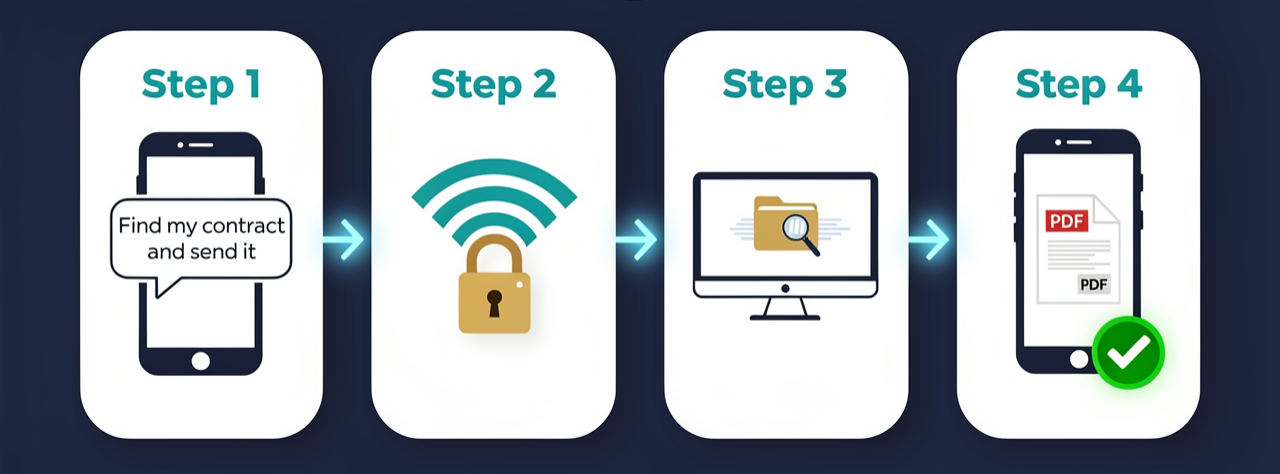
How Owlfy’s remote control works: send task from phone → encrypted connection → desktop executes → result returned to phone.
Link Account
Open Owlfy Settings → Account → Mobile Owlfy. Link your WhatsApp or Messenger account with a simple two-step authentication.
Send Task
Message the Owlfy bot in your chosen app. Describe what you want in plain language, just like talking to a friend.
PC Executes
Your desktop receives the instruction and processes it locally using Owlfy's secure AI skills — search, convert, summarize, etc.
Get Results
The output — a file, a summary, or a confirmation — arrives back in the same chat thread instantly.
What You Can Do Remotely:
Real Use Cases
Virtually everything you do on your desktop is now accessible from your phone.
File Retrieval
Owlfy locates the file and delivers it directly to your WhatsApp.
Owlfy identifies the most recently modified file and delivers it.
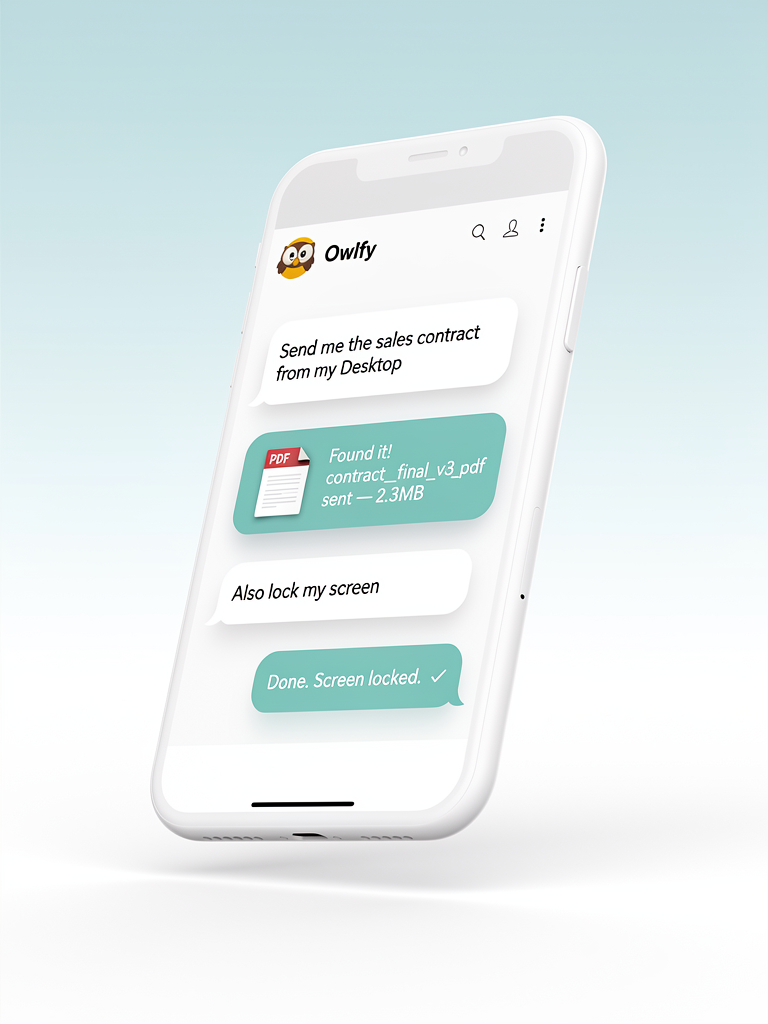
Owlfy on WhatsApp — remote file retrieval and screen lock via a simple text conversation.
System Tasks
Desktop locks immediately. Confirmation sent to phone.
System cleanup runs; summary of freed space returned.
File Processing
Owlfy reads all PDFs and returns a unified digest.
Conversion done; PDF delivered to your phone.
Meeting Preparation on the Go
Owlfy searches locally, compiles a meeting brief from relevant emails and documents, and delivers it before the call starts.
Scheduled Tasks
"Set up a task to summarize emails every morning at 8 AM."
Status Checks
"Did the folder organization task run?"
Security and Privacy:
How Remote Access Stays Safe
Only you can send commands
Remote tasks only execute when they come from an account-linked messaging platform. No one else can send instructions to your Owlfy.
Files travel device-to-device
When you retrieve a file, it travels directly from your desktop to your phone using end-to-end encryption. It does not pass through any Owlfy server.
Same permission rules apply
Remote tasks respect your Owlfy sandbox settings. High-risk actions always require explicit confirmation.
Activity Log
Every remote command is logged locally on your device — task description, time, and result — so you always know what ran.
Non-desk workers
Sales agents, field staff — access files and run tasks from your phone while on the move.
Remote workers
Access your office desktop from home without VPN complexity or calling IT.
Frequent travelers
Your desktop at home or the office is always accessible. Need a document in a meeting? One message and it's there.
Everyone else
Left your laptop at home? Forgot to lock your screen? Remote control handles all of it.
Access Your Desktop Anywhere
Download Owlfy and link your mobile messaging app in seconds.
The ultimate desktop remote control experience.