

AI Privacy Desktop App:
How Owlfy Keeps Your Data Yours
Your AI assistant reads your emails. It hears your voice. It opens your documents, manages your calendar, and processes your most important files.
The more capable your AI tool is, the more of your digital life it touches — and the more you should care about where all that data ends up.
For most AI tools, the answer is: the cloud. Your data leaves your device, gets processed on remote servers, and lives in someone else's infrastructure.
Owlfy is a different kind of AI privacy desktop app. It keeps everything — your files, your voice, your conversations — right where it belongs: on your machine.
Here's exactly what that means.
Why the Privacy Stakes Are High
Owlfy isn't a simple autocomplete tool. It's built to be your full-time AI assistant — reading your inbox, preparing you for meetings, managing files, processing documents, editing media, and acting as a chief of staff across your entire desktop.
That's a wide scope of access. And with wide access comes a responsibility most AI companies quietly sidestep.
When Owlfy reads your emails to surface priorities, your professional relationships and business commitments are in scope.
When you dictate ideas with your voice, a biometric identifier unique to you is in play.
When Owlfy processes your documents in batch, those files may contain information you'd never share publicly.
Owlfy takes that responsibility seriously — not as a tagline, but as a design decision baked into its architecture from day one.
Local Documents Stay Local — Always
The foundation of Owlfy's privacy model is straightforward: Owlfy lives on your desktop, not in the cloud.
Every operation it performs — summarizing a document, analyzing a file, converting images, processing your inbox — happens locally on your hardware. There's no upload step. No remote server parsing your content. When you ask Owlfy to batch-process a folder or merge documents, those files never leave your device.
This matters most when your content is sensitive:
legal contractsfinancial recordsclient filesmedical notes
Owlfy handles all of it the same way — entirely on your machine, entirely under your control.
For professionals in regulated industries, or anyone working with confidential data, this isn't a preference. It's the only acceptable architecture.
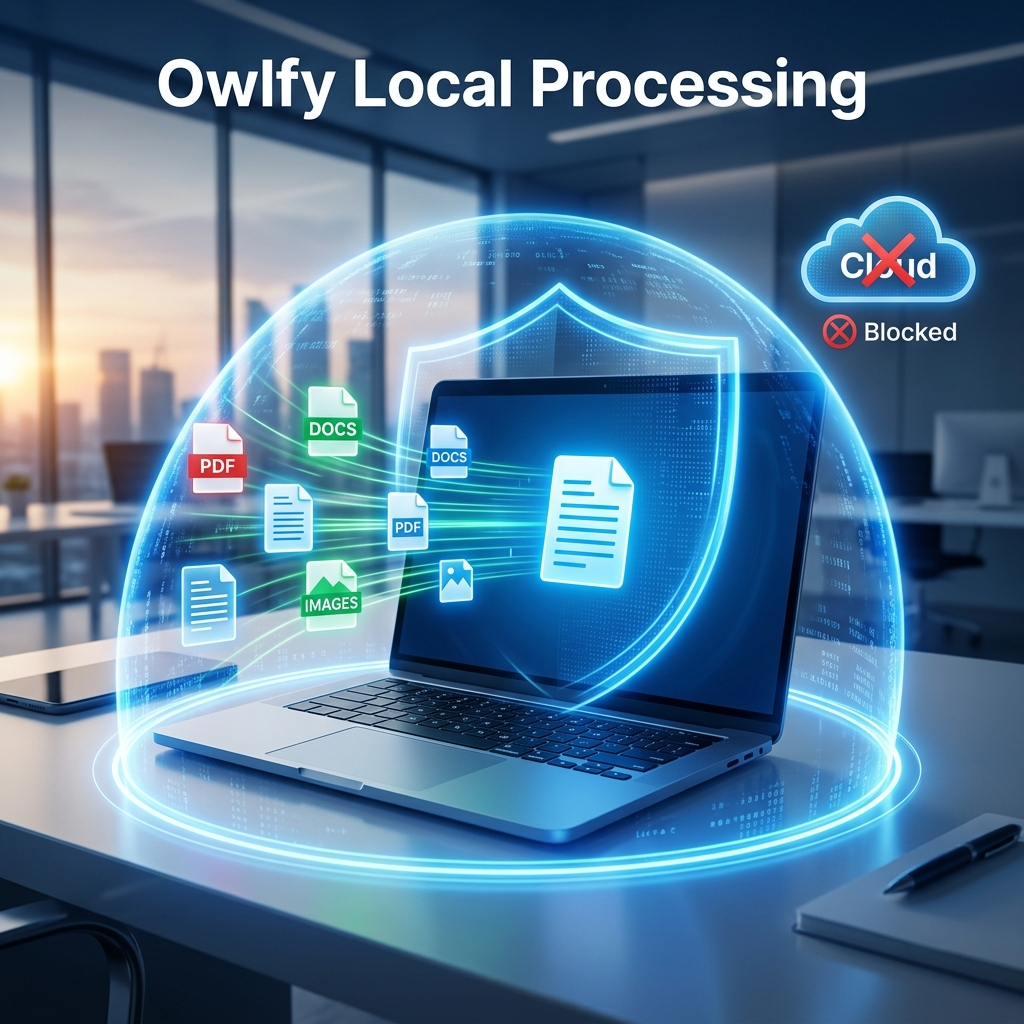
Zero Cloud Retention:
Your Data Doesn't Train Anyone's Model
There's a question most AI tools never answer directly:
what happens to your usage data?
The industry default is that your interactions help train future versions of the model — your conversations, corrections, and preferences fed back into the product, usually without your explicit consent.
Conversation history
stays on your device
Personalization settings
stored locally, not synced
Owlfy opts out of this entirely. None of your usage ever goes toward model training.
If you ever choose to back up your Owlfy data to cloud storage,
the app will warn you first. That decision stays yours.
Your Voice, Your Privacy
Voice is central to Owlfy. You use it to execute actions, draft documents, prompt AI features, and run your desktop hands-free. It's what makes Owlfy fast and natural — and it's one of the most sensitive data types there is.
Your voice is a biometric. It identifies you. With voice cloning technology growing more sophisticated, voice recordings carry real risk if they end up somewhere you didn't intend.
Owlfy uses your voice in exactly one way: real-time speech recognition, for the task in front of you, right now.
For moments when you want extra discretion — an open office, a shared space — Owlfy's Whisper Mode lets you speak quietly or even whisper and still get full functionality.
Your voice stays yours.
What Makes Owlfy a Genuinely Private AI Desktop App:
Built-in Safety Architecture
Privacy isn't only about data leaving your device.
It's also about what an AI tool can do on your device without asking.
Owlfy operates strictly within the access you grant it. It can only see and interact with folders you've explicitly authorized — nothing else.
For high-risk actions — deleting files, moving files, restarting your device — Owlfy requires your explicit confirmation every time.
These actions have real, potentially irreversible consequences, and they never happen automatically.
Fundamental Principle
Your AI assistant should have the authority you give it, not the authority it can take.
This isn't a buried setting. It's how Owlfy works by default.
Zero Exposed Public APIs
Cloud-based AI products expose endpoints that outside parties can probe or, in a worst case, exploit. It's a real attack surface, and it has been exploited before in the industry.
Owlfy eliminates it entirely. There are no externally accessible endpoints — no public APIs for anyone to call or target.
Access to Owlfy goes only through authenticated, user-controlled frontends.
For Owlfy's mobile integration — letting you manage your desktop remotely via Messenger or WhatsApp — connections are established through encrypted, user-initiated pathways.
Remote access only happens through channels you set up yourself.
No back doors. No undocumented interfaces.

What This Means for Your Work
Put all five pillars together and the practical picture is clear:
Handle sensitive documents — contracts, financials, patient records — knowing they never leave your machine
Use voice freely — for drafting, prompting, transcribing — knowing your voice is never stored or used for training
Process files in bulk — convert, merge, analyze, summarize — computed locally, kept on your device
Access your desktop remotely — via Messenger or WhatsApp through encrypted, user-controlled connections
Delegate actions to Owlfy — knowing it will always confirm before doing anything that can't be undone
Whether you're a professional handling confidential work, a creator processing large media files, a field worker managing your desktop on the go, or someone who simply wants control over their own data — Owlfy was built for you.
Privacy Isn't a Feature at Owlfy.
It's the Starting Point.
Most AI assistants have made a trade-off on your behalf: capability in exchange for your data.
As an AI privacy desktop app, Owlfy proves that trade-off isn't necessary.
You don't have to choose between a powerful AI assistant and one that genuinely respects your privacy.With Owlfy, you get both.
We're committed to investing in the infrastructure that keeps your data safe — and we want to hear from you about what matters most.