
Owlfy vs. OpenClaw:
The Voice AI Desktop Agent Built for Everyone
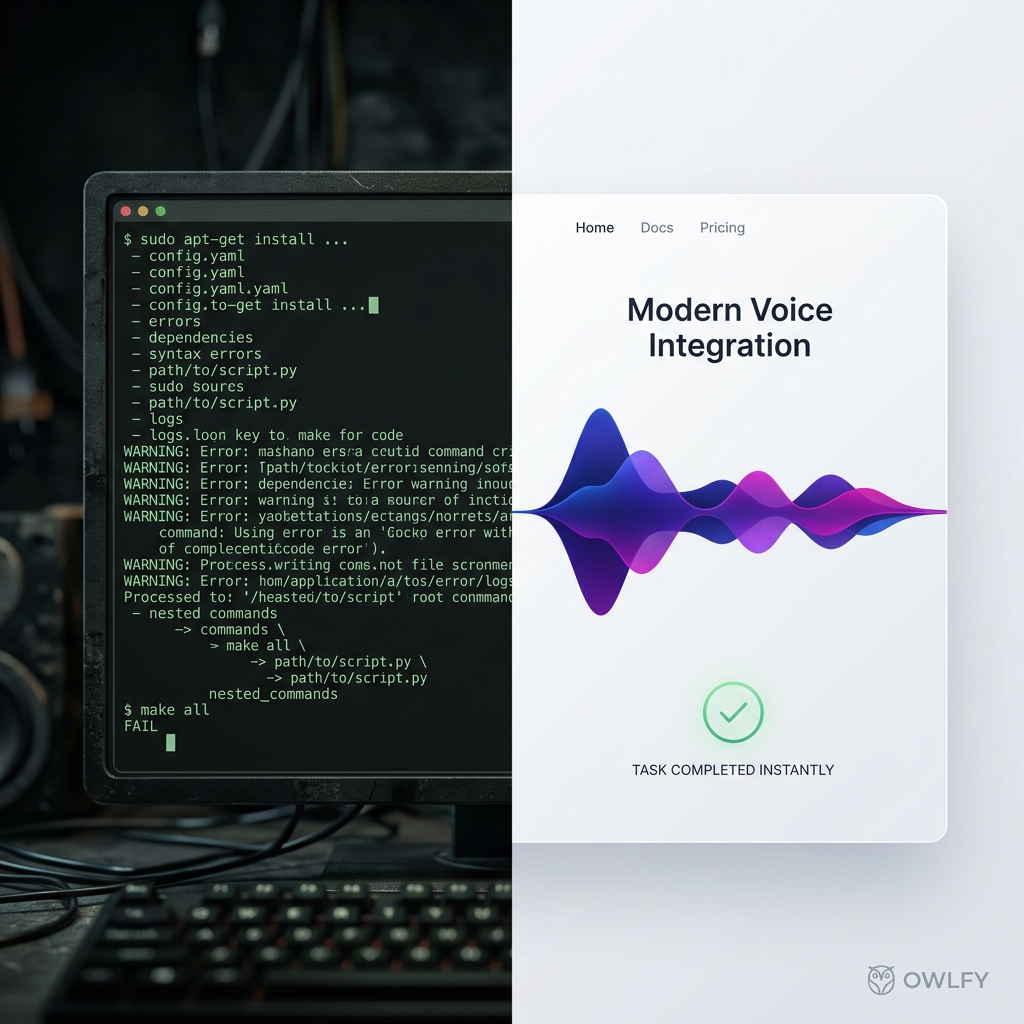
Every year, a new wave of AI tools promises to change how we use our computers. Most of them deliver on the technology.Far fewer deliver on the experience.
OpenClaw — the open-source AI agent framework that lets an AI operate your desktop directly — is a perfect example of the gap. It is powerful. It is also, for the vast majority of people, completely inaccessible.
Owlfy is a voice AI desktop agent built to close that gap.
Where OpenClaw requires developers to configure environments, manage API costs and self-secure their setup...
...Owlfy asks only one thing of you: "Speak."
Everything else — local processing, intelligent execution, privacy protection — is handled on your device, automatically.
This post breaks down exactly where the two diverge, and what Owlfy's AI assistant capabilities look like in practice.
What Is OpenClaw, and Why Does It Matter?
OpenClaw represents a category of AI agent frameworks that give large language models the ability to control a desktop directly: browsing the web, managing files, executing scripts, running applications.
It was a genuine breakthrough — proof that AI could move from conversation to action.
Developers embraced it enthusiastically, building research pipelines, file-management automations, and multi-step workflows that would have required hours of manual scripting. The potential was — and remains — real.
The problem is what comes before any of that.
For most people, this is not a setup process — it is a barrier.
The majority of users encounter the documentation, recognize the complexity, and quietly close the tab.
OpenClaw proves that AI having claws is the future. But cool does not equal usable, open-source does not equal safe, and free does not equal affordable.
The Three Walls Between
OpenClaw and Everyday Users
Wall 1 — The Setup Gauntlet
Getting OpenClaw running requires a working Python environment, Node.js, a collection of dependency packages, and correctly configured API keys. For a developer, this is routine. For someone who just wants their computer to be more capable, it is a full day of troubleshooting — on a good day.
Owlfy eliminates this entirely. Download. Install. Speak. No Python. No Node.js. No configuration files. The average user is productive in under three minutes.
Wall 2 — The Token Bill
OpenClaw routes every action through cloud-based AI APIs. Every step of every workflow burns tokens. For a single session, this is manageable. As a daily productivity tool running complex multi-step tasks, the monthly cost accumulates in ways that catch users off guard.
Owlfy processes the vast majority of operations on-device using its local decision engine. Cloud usage is minimal and targeted. For most everyday tasks, there is no per-action cost at all.
Wall 3 — The Security Gap
Giving an AI agent access to your computer demands trust. OpenClaw in its raw form requires users to actively manage their own security posture — deciding what is accessible, what leaves the machine, what is exposed to the network. Most people are not equipped to make those decisions well.
Owlfy's security model is architectural: local-first processing means your files and voice data never reach an external server. Permissions are fine-grained and user-controlled. High-risk actions always require explicit confirmation.
What a Voice AI Desktop Agent Actually Does
Owlfy's AI Assistant in Practice: Triggered by voice, processed locally, executed instantly.
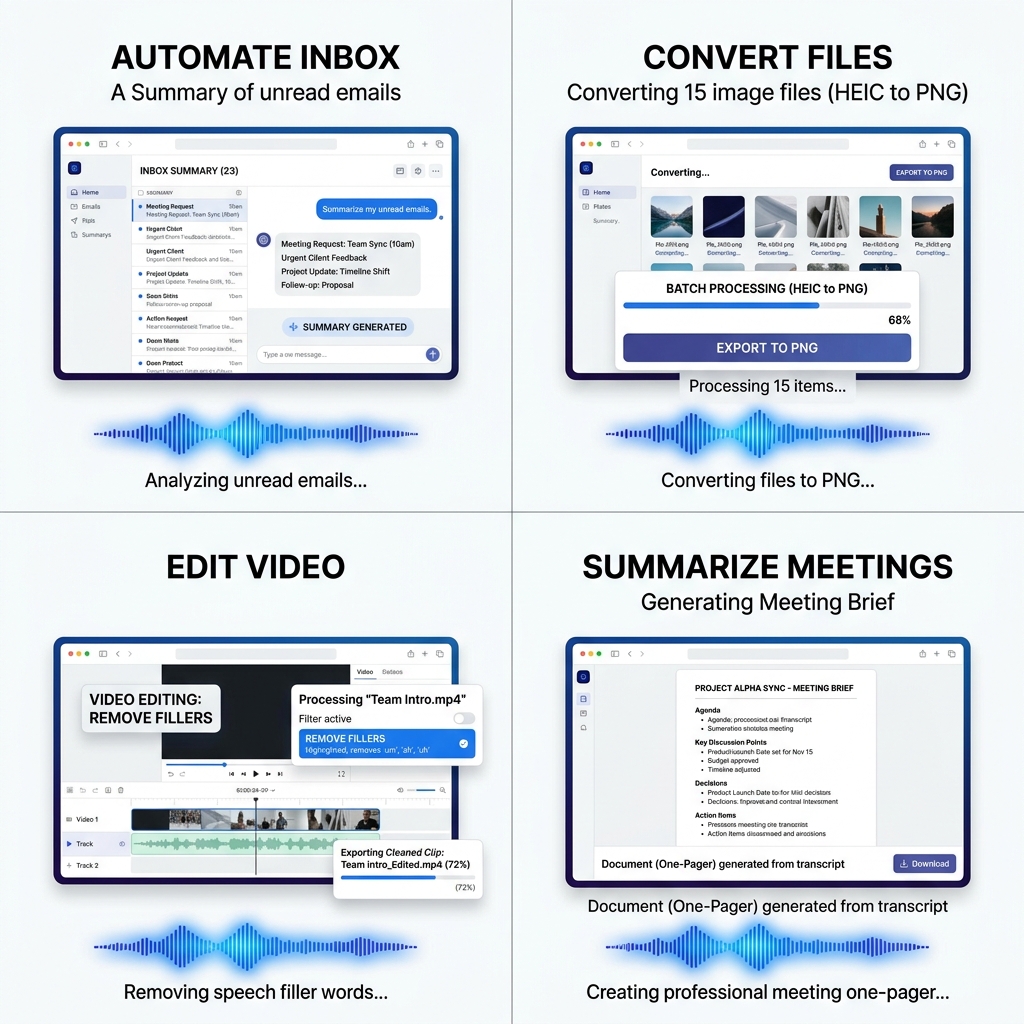
Owlfy supports over 300 actions — all triggered by voice, all processed locally.
These are not basic shortcuts. They are substantive AI assistant workflows drawn from four capability areas:
Inbox & Calendar Intelligence
Summarize unread emails, surface priority meetings, and draft responses based on your context.
Document & Text Mastery
Mass-rename folders, batch-convert file types, and organize your desktop with a single command.
Multimedia Production
Remove filler words from video, export cleaned clips, and enhance media entirely on your hardware.
Document Automation
Control system settings, window layouts, and multi-app workflows without touching your mouse.
Inbox and
Calendar Intelligence
For professionals, the cost of a disorganized inbox is not just inconvenience — it is missed commitments, slow responses, and meetings you walked into unprepared. Owlfy's AI assistant addresses this directly.
Daily prioritization
"what should I do next?"Ask Owlfy and it will summarize your unread threads, flag looming deadlines, and surface action items — ranked by priority — in a single spoken or written briefing.
Morning brief
Owlfy generates your day's overview: agenda, scheduled meetings, who you are meeting and your last email exchange with them, and outstanding to-dos — all pulled from your local inbox and calendar.
Meeting preparation
"tell me about my next meeting."Owlfy generates a one-pager: attendees, prior email threads with them, relevant documents, and a suggested agenda.
Commitment tracking
Owlfy detects hard and soft commitments buried in your inbox — "I'll get this to you by Friday," "let's reconnect next week" — and creates follow-up tasks and calendar reminders automatically.
Document and
Text Mastery
Highlight any text — in any application — and Owlfy's AI assistant acts on it immediately, in place, without switching windows.
Explain complex content
Highlight code, medical jargon, legal text or a dense academic paragraph. Say "explain this" — or "explain this with humor" — and Owlfy delivers a plain-language interpretation right beside the original.
Prompt mastery
Stop writing AI prompts by hand. Tell Owlfy your idea — messy, incomplete, conversational — and it will transform your raw thought into a structured, layered prompt ready for any AI model.
Analyze & Translate
Ask for a summary, critical analysis, or a translation into any of 100+ languages.
Smart phrases
Define voice shortcuts for long recurring text — your address, a standard pitch, your professional bio. Say the shortcut, watch Owlfy write it out in full.
Voice writing with character
Speak naturally — even if your thoughts are rambling or unstructured — and Owlfy outputs clean, well-punctuated, properly formatted text.
Multimedia and
Creative Production
For content creators and anyone who handles images, video or audio as part of their work, Owlfy turns a production pipeline into a series of voice commands.
Batch image processing
Select any number of images. Say "enhance all of these — improve brightness, contrast, and remove noise" or simply "make them better."
Image editing in a sentence
Remove a background, adjust colors, merge images into a long composite, convert formats, create a slideshow — each of these is a single voice command applied to however many files you have selected.
Video production without software knowledge
Select a video and command Owlfy for complex technical operations:
"remove all filler words and dead air."
"cut from 2:15 to 3:00 and export."
"add my cover image as the first two seconds."
"merge these clips with transitions."
Owlfy handles the technical execution;
you handle the creative direction.
Audio tools
Extract audio from video, add background music, adjust playback speed, modify audio properties, generate AI-original music — all by voice.
AI Image generation
Describe the image you want — in plain language — and Owlfy generates it locally at high quality.
Desktop Automation and
File Management
Beyond documents and media, Owlfy handles the full surface of your desktop environment — orchestrating complexity with simplicity.
Scheduled tasks
Set recurring automations entirely by voice. "Every Monday morning, pull the top AI news..."
File management
Convert files in bulk across any format (docx to pdf, jpg to png, mov to mp4). Merge multiple documents. Organize folders by file type. All by voice.
Power-user shortcuts
without the learning curve
Execute complex keyboard shortcuts by describing what you want. "Print this." "Close all other tabs." "Start a new file." Owlfy runs the hotkey; you never have to memorize it.
Mobile remote control
Away from your desk? Text or voice Owlfy through Messenger or WhatsApp. Lock your screen, send yourself documents — all end-to-end encrypted.
Side by Side: Owlfy vs. OpenClaw
Comparing the technical threshold, operating cost, and user accessibility of the two leading AI agent paradigms.
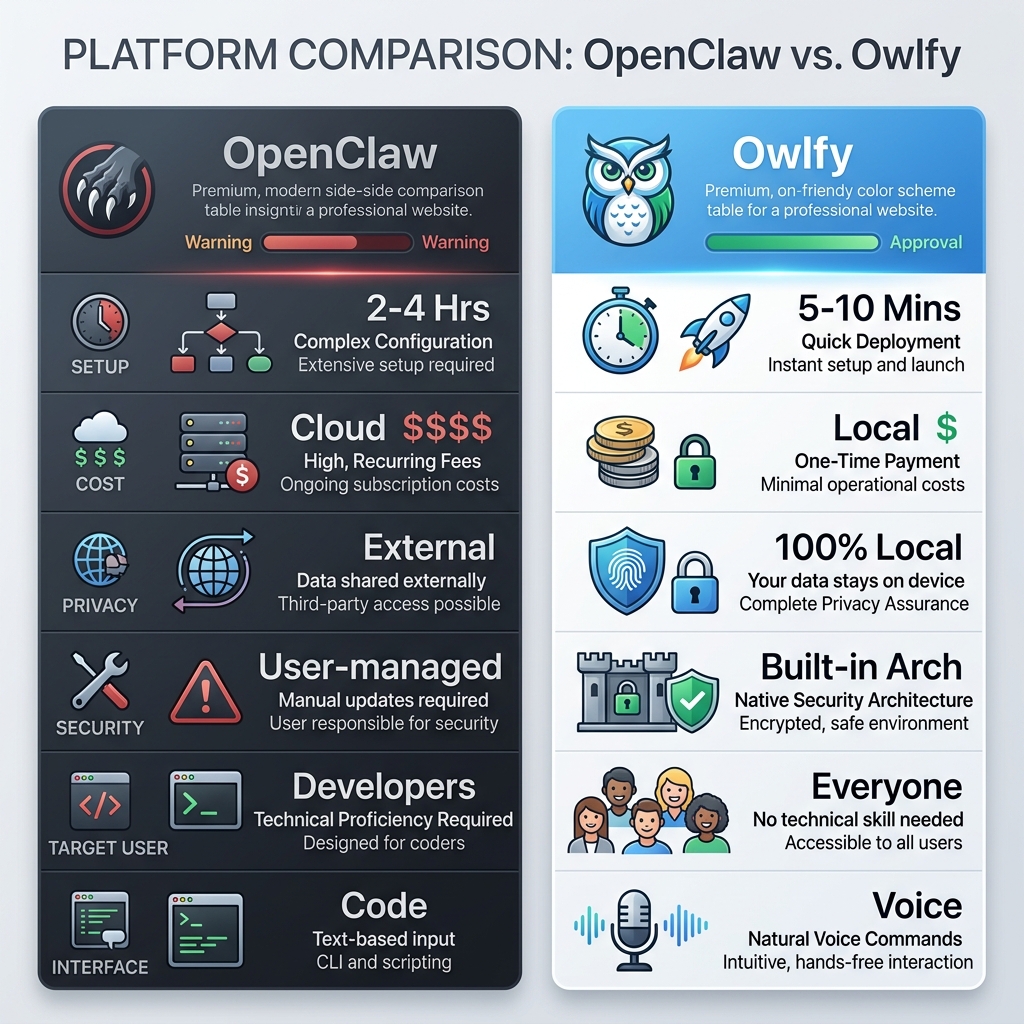
| Criteria | OpenClaw | Owlfy |
|---|---|---|
| Setup | Hours to days — Python, Node.js, API keys, config | Under 3 minutes. Download and speak. |
| Cost Model | Cloud API tokens per action; accumulates fast | Primarily local; minimal cloud usage |
| Privacy | Data routes through external APIs | 100% local — nothing leaves your device |
| Security | User-managed; requires technical expertise | Built-in: local-first, zero exposed APIs |
| Target User | Developers and technical power users | Everyone — zero prerequisites |
| Voice Interface | None — command-line or code only | Natural language voice. The full interface. |
Who Benefits Most from a
Voice AI Desktop Agent?
Owlfy is designed for everyone, but its value concentrates most clearly in five user profiles.
Office professionals
Clear your inbox, prepare for meetings, manage your calendar, and handle document tasks without ever leaving the application you are working in. Owlfy becomes your always-on AI chief of staff.
Content creators
Run your entire production pipeline by voice. Batch-process images, edit video, generate audio, create AI images — focus on creativity, let Owlfy handle the execution.
Non-desk & On-the-go
For field workers rare to a computer — Owlfy's mobile integration puts your desktop's full capability in your pocket.
Multi-taskers
Your voice handles app-switching and file retrieval while your hands and eyes stay on what matters.
Accessibility users
For users with motor limitations or repetitive strain injury, Owlfy offers a fully hands-free desktop experience
Privacy Built In,
Not Bolted On
Owlfy's local-first architecture means its privacy guarantees are structural, not policy-based. Your data cannot leave the device
All voice recognition, intent processing and task execution happen on your device.
Voice data is discarded immediately after processing — never stored.
Files you work with are processed locally and never uploaded.
No public-facing APIs exist, eliminating any external attack surface.
Folder and application access requires explicit user authorization.
Remote desktop control uses end-to-end encryption — device-to-device.
GDPR-aligned by architecture: no personal data is stored externally.
The Bottom Line
OpenClaw proved that a voice AI desktop agent capable of operating a computer is not a future technology — it is available today. That is a meaningful contribution to the field.
What it could not prove is that such a tool could be usable by the people who would benefit most from it. Owlfy does that.
Just your voice — and a desktop that finally listens.
Try Owlfy free
for 20 days.
Available on Mac and Windows, with mobile access via Messenger and WhatsApp.The desktop agent that finally listens.